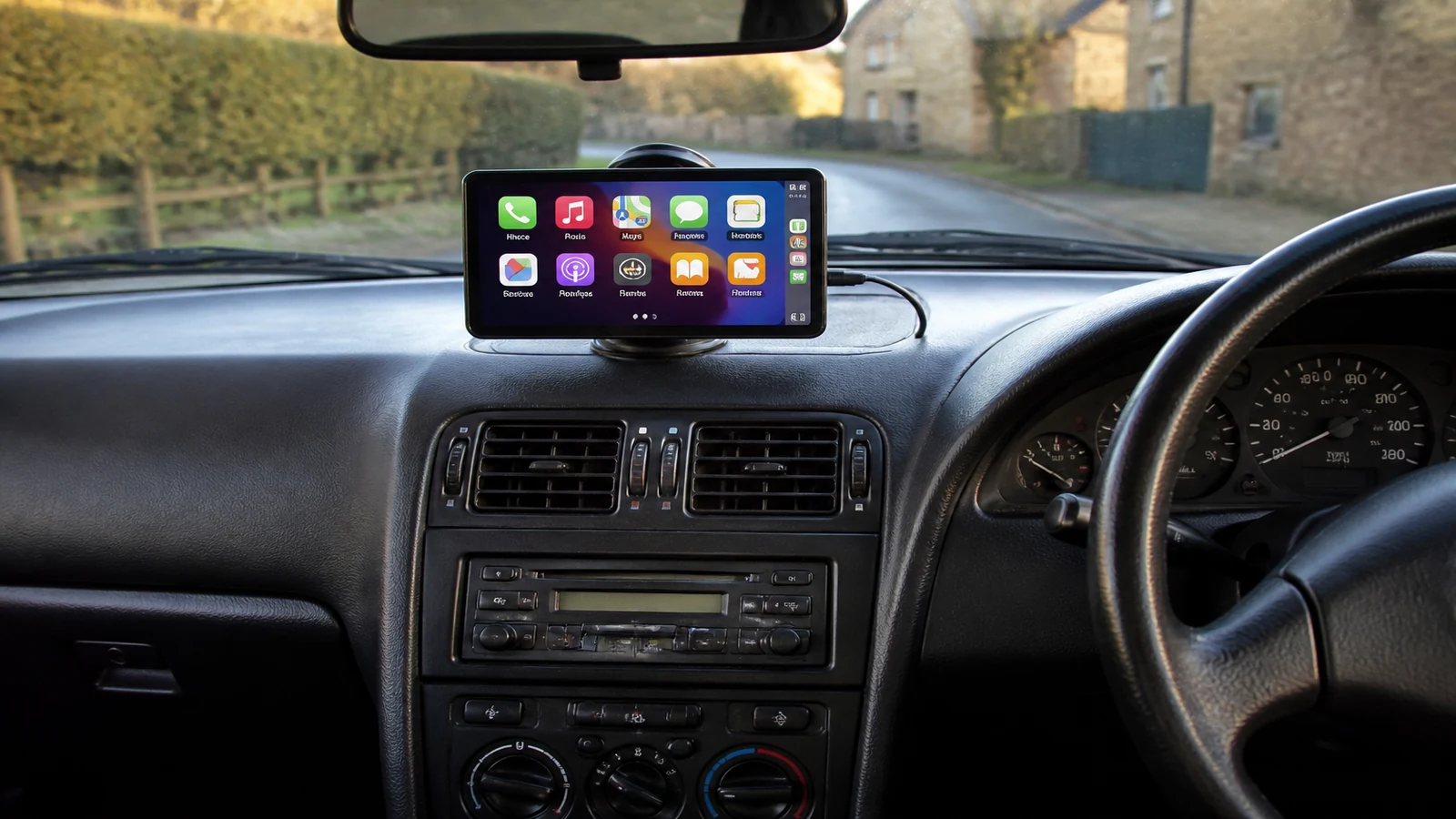
Add wireless CarPlay to older car without replacing stereo
If your car still has a working factory stereo but no Apple CarPlay or Android Auto, you do not have to rip out the dash to get maps and music on a bigger screen. A portable wireless display that plugs into a 12V socket and pairs with your phone is one route UK drivers use when they want modern infotainment without a permanent head-unit job.
Who this guide is for
This is aimed at UK owners of older or base-spec cars where the original radio still works. You might drive a second-hand Fiesta, a van with a basic stereo, or a family car you plan to sell later. The goal is wireless CarPlay or Android Auto on a dedicated screen while the factory unit stays in place.
- You want navigation and calls without paying for fascia kits and workshop labour.
- You are happy with a removable mount rather than a flush-fitted aftermarket stereo.
- Your phone already supports wireless CarPlay or Android Auto.
- You can route audio through AUX, FM transmission or Bluetooth depending on what the car offers.
Portable display versus head-unit swap
Replacing the stereo means buying a compatible head unit, often a fascia adapter, wiring harness and sometimes steering-wheel controls integration. A garage or a store fitting service books labour, and the install is permanent. That can make sense if you own the car outright and want a clean OEM look.
A portable plug-in screen takes a different trade-off. You mount it on the dash or windscreen, power it from the cigarette lighter or accessory socket, and pair your phone. Removal is tool-free, which matters for lease cars and shared vehicles. The DashScreen shop sells a portable wireless CarPlay display aimed at this use case—check the live listing for current price, warranty and specification rather than assuming every portable unit is identical.
What you need in the car
At minimum you need a stable 12V power point, a phone with wireless CarPlay or Android Auto, and a mount position that does not block your view of the road. Many UK cars also need a way to hear navigation prompts through the speakers: an AUX lead, FM transmitter or Bluetooth audio path from the screen to the stereo.
Integrated dash cam and reversing camera features appear on some all-in-one units. Treat those as product-page features on the listing you are buying, not as a universal guarantee on every portable screen in the market.
Audio paths without overclaiming
AUX usually gives the cleanest sound if your stereo has a 3.5 mm input. FM transmission works when there is no AUX but can suffer from interference on busy wavelengths. Bluetooth to the car stereo is convenient when the factory unit supports it, though pairing behaviour varies by vehicle age. None of these paths magically matches a high-end installed system; they are practical compromises for an older car.
Review the portable wireless display if this fits
If a removable wireless screen matches how you use the car, read the current specification and price on the DashScreen portable wireless CarPlay display page before you order.
Can I add CarPlay without removing my factory stereo?
Yes. A portable display adds CarPlay or Android Auto on its own screen while your original stereo stays fitted.
Will any portable screen work in every older UK car?
Compatibility depends on power, mounting space and how you route audio. Check your socket, AUX availability and phone software before buying.
Is a portable screen always cheaper than a new head unit?
Often, yes, when you include fitting labour and fascia parts—but a permanent head unit can still win if you want a factory-finish install and own the car long term.